Articles · By Jump Web Design · · 7 min read
How to get your business on Google Maps, step by step
A free Google Business Profile puts your business on Google Maps and Search. Here is every step on your phone, how to get verified first time, and what decides who shows first in your area.
The short answer
- Create it: go to business.google.com/add and tap Add your business to Google. It's free.
- Fill in the basics: your name, what you do, and your address or the areas you cover.
- Verify it: Google picks the method, such as a short video on your phone, and takes up to five working days to review it.
- Complete it: the right category, every detail filled in and steady reviews help you show first.
- Or have it done: you create and verify it on your phone, and we do the rest as part of our €100 a month website plan.
Google Business Profile was called Google My Business until November 2021.
Step by step, on your phone
Sign in with a Google account that belongs to the business owner, not your web designer or a member of staff. The account that verifies the profile owns it.
-
Open Google's page
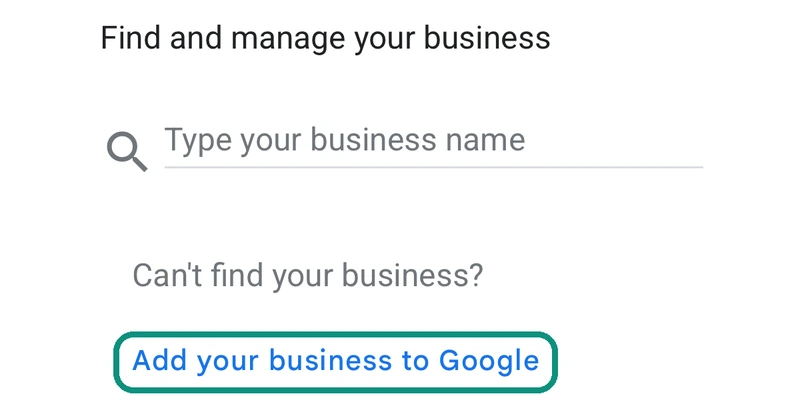
Go to business.google.com/add and tap Add your business to Google. Already on Google Maps? Search for your business there and tap Claim this business instead.
-
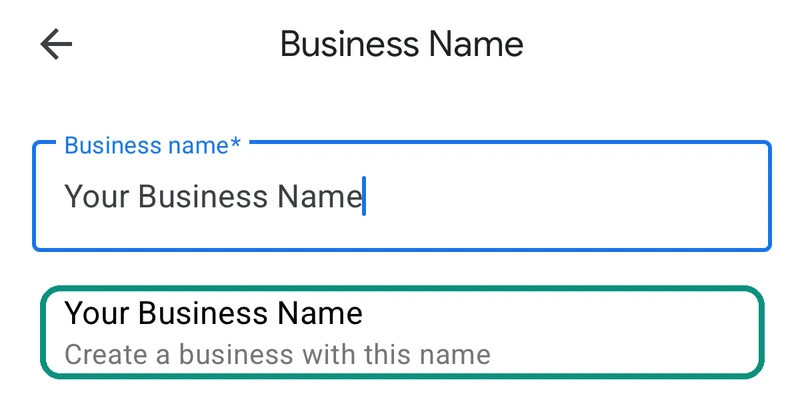
Your business name
Type the name on your van, sign and invoices, and nothing more. Extra words like “Plumber Navan 24/7” break Google's rules and can get a profile suspended.
-
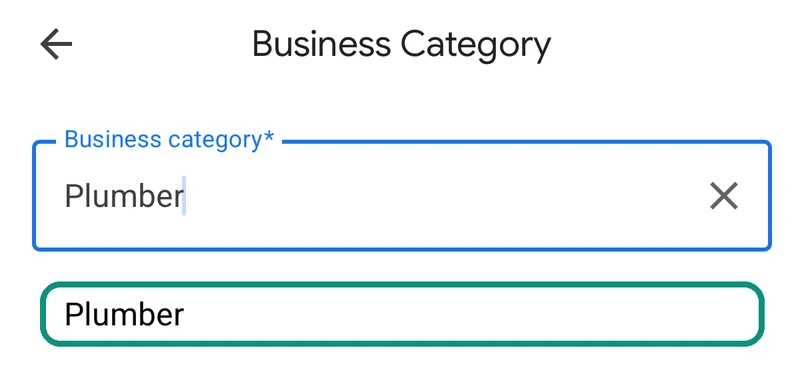
What you do
Type your trade and pick the most specific match from the list: Electrician, not Contractor. Your category is one of the things Google ranks you on.
-
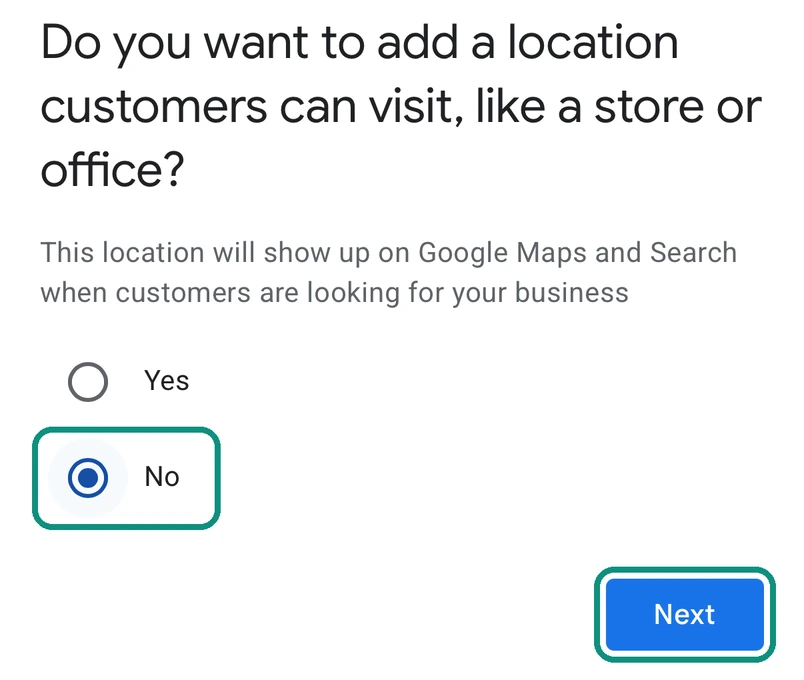
Do customers come to you?
Choose Yes if customers visit you at a shop, salon, café or office with your name on a permanent sign. Type your address with its Eircode, then check that the map pin sits on your door. You can move it if it doesn't.
Choose No if you go to your customers. Your address stays off your profile, as Google asks of trades who work from home.
-
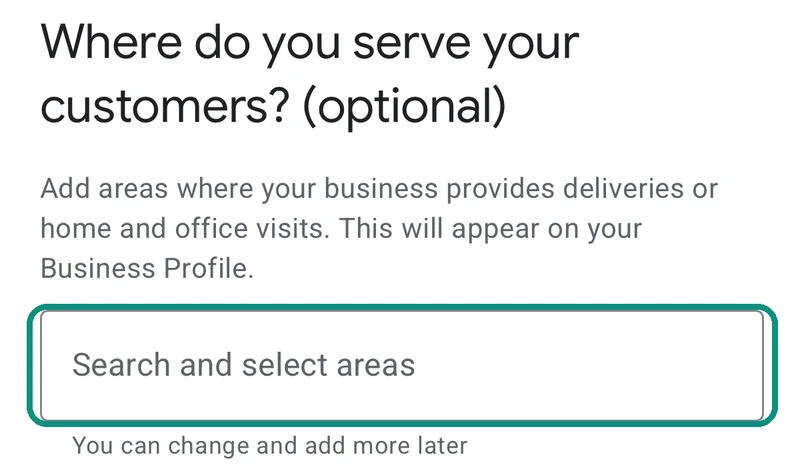
The areas you cover
Add the towns and areas you work in, up to 20. Google asks that they stay within about two hours' drive of your base.
-
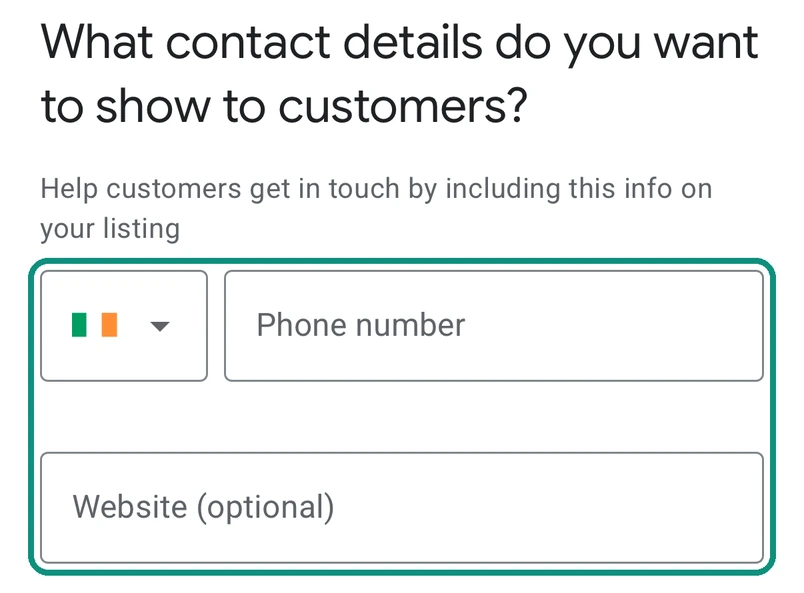
Your phone number and website
Add a number you answer during working hours, and your own website. Customers tap through to it before they call, and it tells Google and ChatGPT what you do and where.
-
Verify
Follow Google's last screens and choose the verification it offers. Customers can find your profile once it's verified.
Getting verified first time
Google chooses the method: a video, a phone call or text, an email, a live video call or a postcard. When it offers video, Google recommends it.
Record one unbroken video of at least 30 seconds, live, from your Business Profile on your phone. Google's rules ask for three things:
- Where you are. A street sign, your shopfront or landmarks near your base. Working from home? Film the signs and landmarks around it.
- That the business is real. Your sign, or your branded van, tools and equipment. The name on them must match your profile.
- That it's yours. Open the till or the stockroom, unlock your branded van, or show an invoice or utility bill in the business name.
Keep other people's faces and anything private, like bank or tax numbers, out of shot. Google emails you once you're verified. If a video is turned down, Google says what was missing. Record a new one showing everything again, plus the missing part.
What decides who shows first
Google ranks local results mainly on three things:
- Relevance: how well your profile matches the search.
- Distance: how close you are to the person searching.
- Prominence: how well known you are, from your reviews and the websites that link to you.
There's no way to pay Google for a better ranking. The order is earned, and this is what earns it:
- Every field filled in. Hours, services, areas, a description and the most specific category.
- Real photos. Your work, your team and, for a shop, the outside. Google suggests at least three of each.
- Reviews every month. On your profile, tap Read reviews, then Get more reviews, and send the link to every customer after a job. Never offer anything in return: Google bans it.
- Replies to reviews. Short and polite, to the good ones and the bad.
- A website of your own, with a page for each service, so Google has more to match you to.
Mistakes that cost you calls
- Two profiles for one business. Google treats one as a duplicate and stops showing it.
- Someone else as the owner. A former web designer or employee who owns your profile controls it. Stay the primary owner and add others as managers. If someone won't hand a profile back, Google lets you request ownership, and the owner has three days to reply.
- Changing your category on a whim. A new category can mean verifying all over again.
- Out-of-date hours. Set special hours for bank holidays and Christmas, so nobody arrives to a closed door.
A real example: Delta Construct
A builder in Clonsilla, Dublin 15, and our client. In November 2026 they came first on Google Maps in Dublin 15 for:
- builders Dublin 15
- construction company Dublin 15
- house extension Dublin 15
Their profile has a 5.0 rating from 30 reviews and links to the website we built for them: six services, project galleries and before-and-after sliders. The same month, ChatGPT named them in its top three for “best construction companies in Dublin 15”.
See it at deltaconstruct.ie, or more of our work.
Or have it done for you
We fill in every detail, add your photos, link your website and keep it all up to date. Your part is three steps on your phone: create the profile, verify it and add us as a manager. You stay the owner: a manager can't remove you or delete the profile.
| What your profile needs | With us |
|---|---|
| The right main category and every service listed | Done for you |
| Your service area and opening hours | Done for you |
| Real photos of your work | Added for you |
| A one-tap link for reviews | Ready to send |
| A website linked to your profile | Included |
| The same details on Bing Places and Apple Business | Done for you |
| Updates when anything changes | Unlimited, usually within two working days |
All of it comes with your website for €100 a month, VAT included. No minimum term. Nothing to pay upfront. Your domain, your website and digital assets belong to you.
See how we get you found, or what a website costs in Ireland.
Questions
Is a Google Business Profile free?
Yes. Creating, verifying and managing a profile costs nothing, and there is no monthly fee. Google only charges for ads, and they are optional.
What are the benefits of a Google Business Profile?
Customers find you on Google Maps and Search, see your reviews, photos and hours, and can call, get directions or open your website in one tap. It's free.
How long does it take for my business to show up on Google Maps?
Up to five working days from when you verify: that's how long Google takes to review it. After that, most edits show within ten minutes, and a few take up to 30 days.
Can I be on Google Maps without a shop or an office?
Yes. Choose No when Google asks if customers come to you, keep your address hidden and list up to 20 areas you cover. A business that only sells online can't have a profile.
Why isn't my business showing on Google Maps?
The profile may not be verified yet, there may be a duplicate, or the name may break Google's rules. Search for your business name first. If you show up for that, the work is on your category, your photos and your reviews.
Do I need a website for a Google Business Profile?
Not to create one, but it helps you show first. Nine of the ten businesses Google Maps shows first for “builders Dublin 15” link to their own website (November 2026).
Is Google My Business the same as Google Business Profile?
Yes. Google renamed Google My Business to Google Business Profile in November 2021. You now manage it straight from Google Search and Google Maps.
Should my web designer own my Google Business Profile?
No. You should be the primary owner, with your designer as a manager. On your profile, tap the three dots, then Business Profile settings, People and access and Add. Enter their email address, choose Manager and tap Invite. A manager can edit the profile but can't remove you or delete it.